
Withdraw one line: only what stood on it falls
- Recorded experiment
- Kernel 0.2.0, journals re-checked with YuCe 0.2.1
- Checked in your browser by yuce-verify
- No live model calls
Two recorded experiments in which a picture was built as records, one element per line of the task. Withdraw a line, and the kernel shows which elements stood on it and fell, and which stay standing. Continue with another model, and the rest of the scene is not lost. Every step comes with its journal, and the journal can be checked in your browser.
All steps as a list
Without JavaScript the steps are shown as a list. With it, the buttons switch between the recorded states and the journal can be checked in the browser.
House picture, 12 lines (vector: two AI agents)
Through the journal
Initial scene (first AI agent)
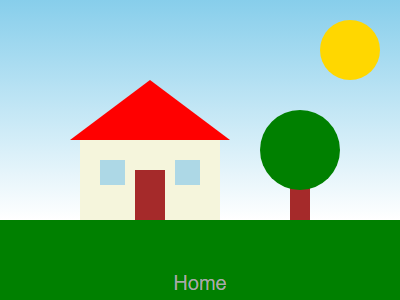
The first AI agent drew 12 elements, one per line of the task. Each element is recorded in the kernel together with an exact quote of its line.
Through the journal
Withdraw “Sun”
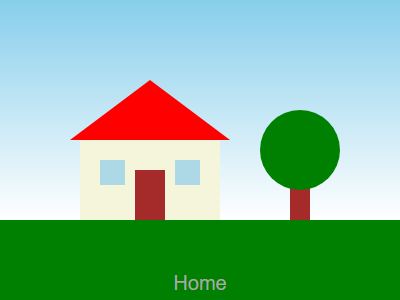
The owner withdraws line 4 (the sun). The kernel drops exactly 1 element, the sun: 2,910 pixels changed, all inside the sun's area, 0 outside.
2,910 of 120,000 pixels differ (2%). inside the element’s area: 2,910; outside it: 0.
Fell at this step: Sun (line 4)
Through the journal
Edit 1: blue door
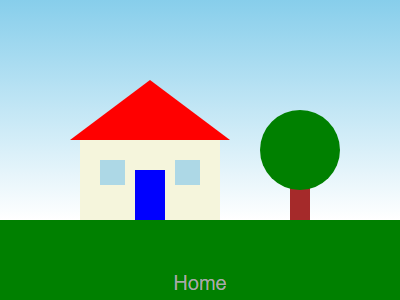
Line 7 (door) withdrawn; the first AI agent writes a new door on the edit line. Exactly 1 element fell, the door: 1,500 pixels changed, 0 outside it.
1,500 of 120,000 pixels differ (1%). inside the element’s area: 1,500; outside it: 0.
Fell at this step: Door (line 7)
Through the journal
Edit 2: dark green roof
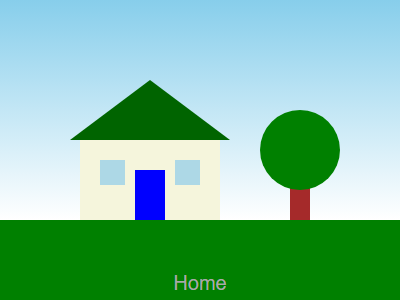
Line 6 (roof) withdrawn; the first AI agent writes a new roof on the edit line. Exactly 1 element fell, the roof: 4,920 pixels changed, 0 outside it.
4,920 of 120,000 pixels differ (4%). inside the element’s area: 4,920; outside it: 0.
Fell at this step: Roof (line 6)
Through the journal
Edit 3: orange crown
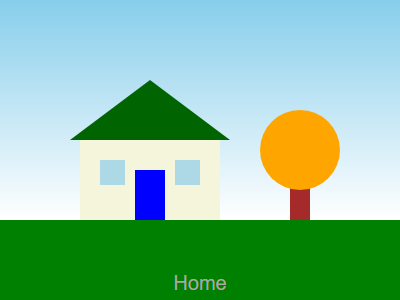
Line 11 (tree crown) withdrawn; the first AI agent writes a new tree crown on the edit line. Exactly 1 element fell, the tree crown: 5,135 pixels changed, 0 outside it.
5,135 of 120,000 pixels differ (4%). inside the element’s area: 5,135; outside it: 0.
Fell at this step: Tree crown (line 11)
Through the journal
Edit 4: “Sweet home”
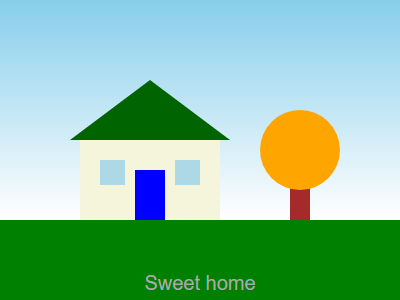
Line 12 (caption) withdrawn; the first AI agent writes a new caption on the edit line. Exactly 1 element fell, the caption: 1,007 pixels changed of its 1,014-pixel area, 0 outside it.
1,007 of 120,000 pixels differ (0.8%). inside the element’s area: 1,007; outside it: 0.
Fell at this step: Caption (line 12)
Through the journal
Back to the original
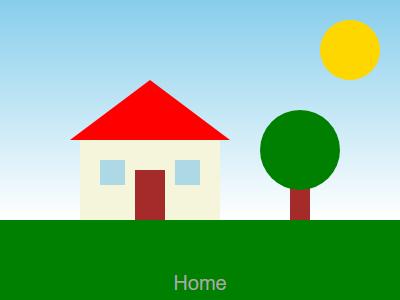
The picture assembled from the first 4 frames of the journal, after all four edits: the same SVG and the same PNG as the initial scene, SHA-256 equal.
0 pixels differ. inside the element’s area: 0; outside it: 0.
Through the journal
A second AI agent continues through the journal
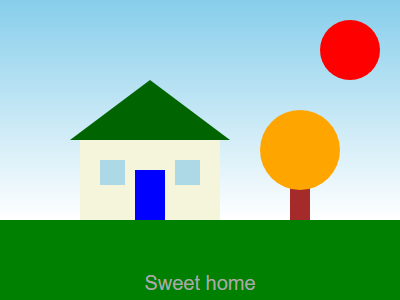
Through the journal: only the sun replaced, 0 pixels changed outside it.
2,910 of 120,000 pixels differ (2%). inside the element’s area: 2,910; outside it: 0.
Controls: no journal, no kernel
Control: the second agent without the journal
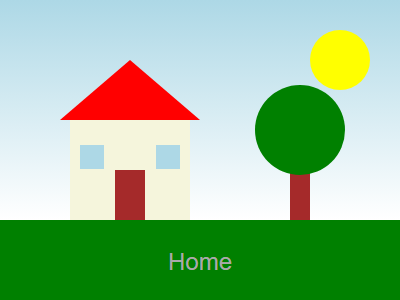
Without the journal, same task: the second AI agent draws a new picture — 64% of pixels differ (76,756 of 120,000). All 12 requirements are still met.
76,756 of 120,000 pixels differ (64%)
Controls: no journal, no kernel
Control: plain prompt, call 1
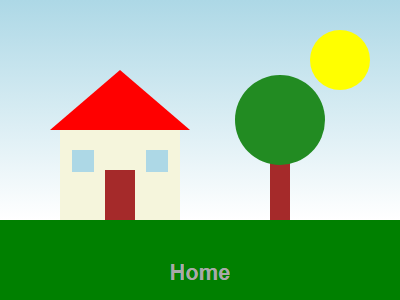
A plain prompt to the second AI agent with the same 12 lines, no kernel: the first call.
Controls: no journal, no kernel
Control: same plain prompt, call 2
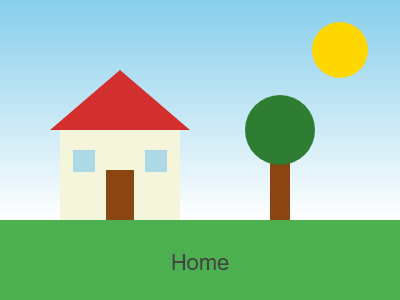
Same plain prompt twice, no kernel: two different pictures — 92% of pixels differ (109,878 of 120,000).
109,878 of 120,000 pixels differ (92%)
House from raster layers, 6 lines (layers painted by an AI agent)
Journal A: each layer rests on its own line
First picture (6 raster layers)
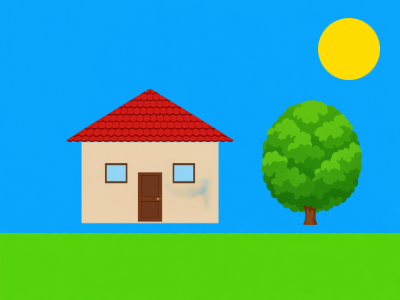
An AI agent painted 6 raster layers, one per line of the task. Each layer is recorded as an element that names the layer file by its SHA-256, together with an exact quote of its line.
Journal A: each layer rests on its own line
Edit 1: red sun
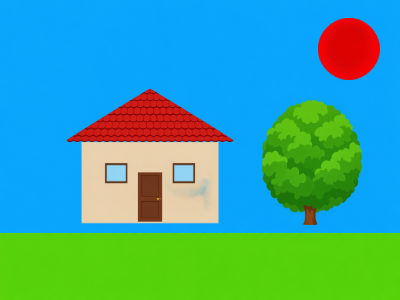
Line 6 (sun) withdrawn; a new red sun layer is recorded on the edit line. Exactly 1 layer fell, the sun: 3,216 pixels changed, 0 outside the sun.
3,216 of 120,000 pixels differ (3%). inside the element’s area: 3,216; outside it: 0.
Fell at this step: Sun (line 6)
Journal A: each layer rests on its own line
Back to the first picture
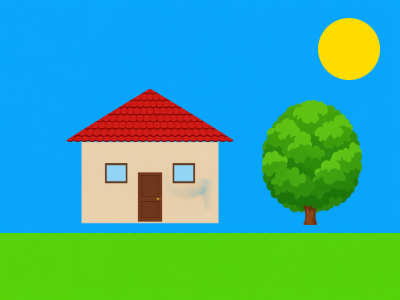
Assembled from the first 4 frames of the journal after the edit: SVG and PNG SHA-256 equal to the first picture.
0 pixels differ. inside the element’s area: 0; outside it: 0.
Journal A: each layer rests on its own line
Move the wall (one ground)
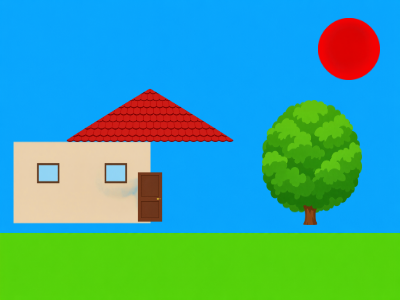
Each layer rests only on its own line. Withdrawing the wall line drops only the wall; the wall is recorded again at the left edge, while roof and door stay where they were and no longer fit it.
16,205 of 120,000 pixels differ (14%). inside the element’s area: 16,205; outside it: 0.
Fell at this step: Wall (line 2)
Journal B: roof and door also rest on the wall line
Journal B: roof and door also rest on the wall line
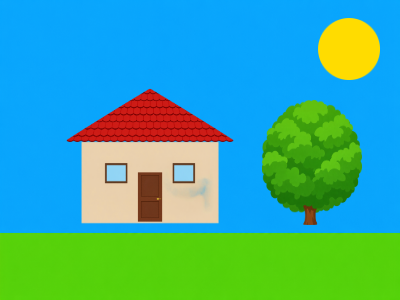
A second journal from the same six layer files, without model calls. Roof and door each rest on their own line and on the wall line. The picture is byte-for-byte the first one.
0 pixels differ. inside the element’s area: 0; outside it: 0.
Journal B: roof and door also rest on the wall line
Withdraw the wall (two grounds)
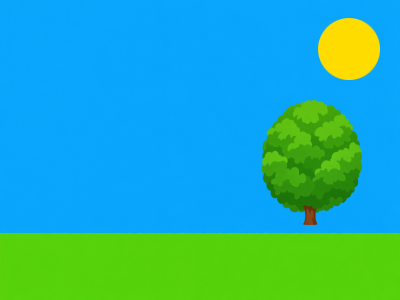
Withdrawing the wall line drops the wall, the roof and the door: 3 layers fell. Background (sky and meadow), tree and sun stay.
16,130 of 120,000 pixels differ (13%). inside the element’s area: 16,130; outside it: 0.
Fell at this step: Wall (line 2), Roof (line 3), Door (line 4)
What this shows, and what it does not
- A recorded experiment. Both pilots ran on kernel 0.2.0 (build 44d8a21c) on 12 November 2026; the journals were re-checked with release 0.2.1 for this page. Nothing here is generated live and no model is called.
- Pixel for pixel holds only for PNG files rendered by one renderer: headless Chrome with fixed flags at 400 × 300. Another renderer draws the same SVG differently while the record stays the same. For the SVG files the claim is byte for byte, by SHA-256.
- The check in your browser says that the journal is intact: well-formed frames and the hash chain (levels J0–J1). What fell was computed by the kernel and is recorded in the manifest; anyone can recompute it with sbgk audit-read fallen.
- The journals carry no signed checkpoint. The browser check says the file is internally consistent, not that it is authentic: anyone able to recompute the hashes could produce a file that passes.
- Only what was declared as a ground falls. In the pilots every element rests on the quote of its own line; in the second raster journal the roof and the door also rest on the wall line, which the pilot’s runner declared. In the first raster journal, withdrawing the wall drops only the wall.
- The continuation by the second AI agent is compared with the picture after the four edits of the first AI agent, where the sun was already withdrawn, not with the original scene.
- One scene per pilot, one run, one model call per step. These are pilots, not measurements. “All 12 requirements are still met” rests on the pilot script’s rough checks (kind of element, colour by hue, rough place: 36 of 36); it is not a judgement of the picture.
- In the raster pilot the script set the place and size of each layer, and the model painted only the content. A layer painted again from the same prompt comes out different (3,070 different pixels for a second red sun), so going back is exact only for recorded layers.
- Colours are written as words and numbers as whole numbers, because of a kernel rule about numbers in claims. The models were told in advance, and in the recorded run the kernel refused nothing.
- The seven raster layer files (7 MB) and the raster SVG compositions are not hosted on this page; the journals pin their bytes by SHA-256 and the page shows the composite PNG files.
Check it yourself
The files of this page are in one folder. With the kernel binary of YuCe 0.2.1 and Node.js, the same checks run on your machine:
sha256sum -c SHA256SUMS.txt
node verifier/yuce-verify.mjs journal vector_scene/pilot.wal --json
sbgk audit-verify --wal vector_scene/pilot.wal
head -n 5 vector_scene/pilot.wal > cut.wal
sbgk audit-read fallen --wal cut.wal --since 4- steps_manifest.json
Every step: journal, frame, fallen records with quotes and based_on, pixels, captions.
- vector_scene/pilot.wal
The journal of the vector pilot (19 frames).
- raster_scene/pilot_a.wal and pilot_b.wal
The two journals of the raster pilot (10 and 5 frames); journal B is /sandbox-data/raster_scene/pilot_b.wal.
- verifier/yuce-verify.mjs
The verifier, unchanged from the YuCe 0.2.1 release, with the note on how to call it in a browser.
- README.md
Where every number comes from, and the honest limits in full.
The same checks on your own documents
Withdraw a text and the kernel names what fell, from the journal and with no model:
sbgk audit-read fallen --wal run.wal